
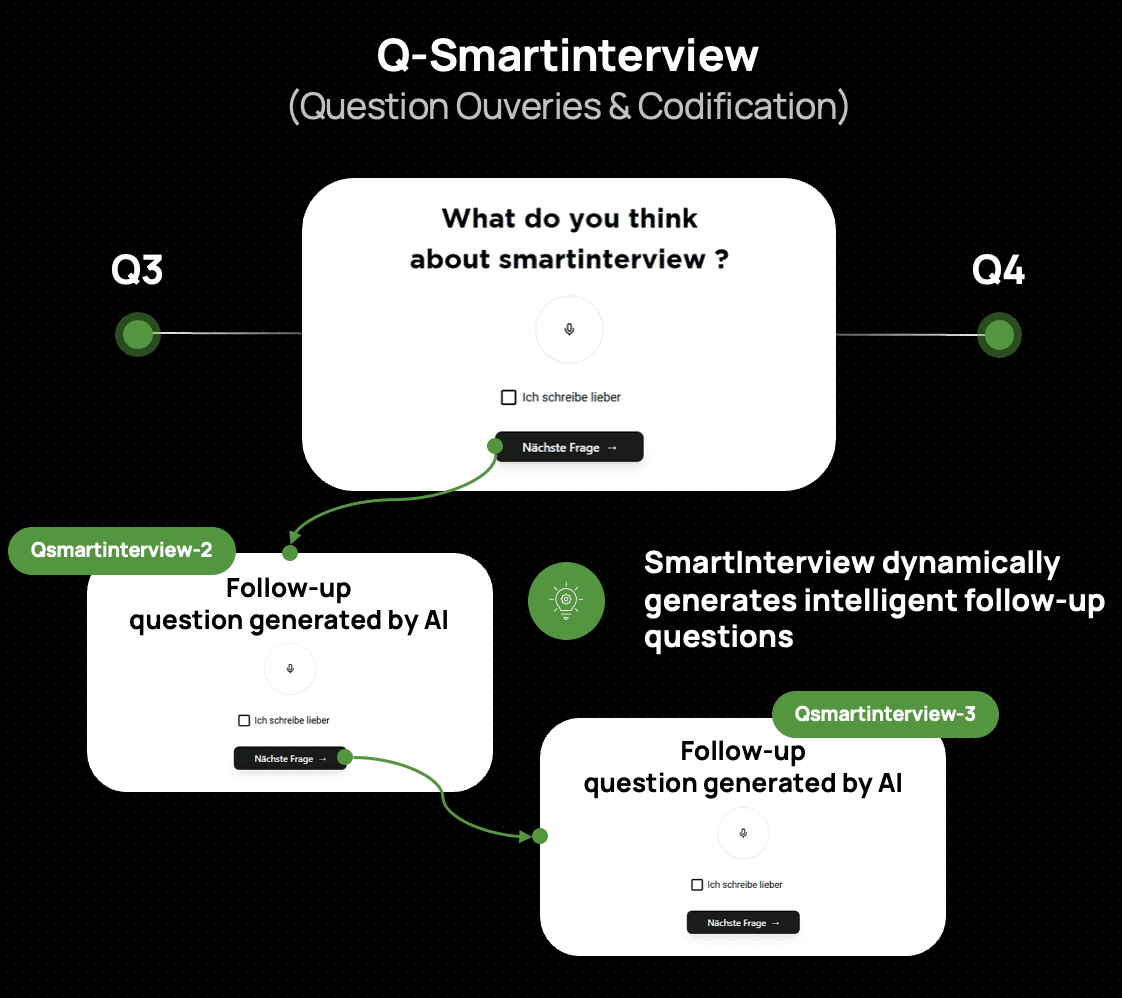
Smartinterview: integraiton with sphinx declic/sphinx iq3

Written by
Matthieu SAUSSAYE
Published
Mar 2, 2026
Integrating SmartInterview with Sphinx Online
Introduction
SmartInterview's AI-powered vocal interviews can be combined with Sphinx Online surveys to add qualitative depth to your quantitative research. This guide covers integration with both Sphinx products:
Sphinx iQ3: the full-featured desktop + online suite
Sphinx Declic: the lightweight online survey tool
Each has different capabilities, so the recommended integration approach differs.
Which Sphinx product are you using?
Sphinx iQ3 | Sphinx Declic | |
|---|---|---|
Custom HTML in questions | Yes (full HTML editor) | Limited (rich text editor only) |
iframe embedding | Yes | No |
URL redirects | Yes | Yes |
JavaScript support | Yes | No |
Recommended integration | Widget (embed) or Redirect | Redirect only |
Integration with Sphinx iQ3
Sphinx iQ3 offers full HTML control, giving you two options:
Option A: Widget (embed SmartInterview inside your Sphinx survey)
The respondent stays within the Sphinx interface. A SmartInterview question appears inline as an embedded widget.
Step 1 - Get your embed code
In SmartInterview, go to Builder > Widget:

Select the "Sphinx" theme to match the visual style (adapt the color if needed)
Copy the embed code:
allow="microphone; camera"is required for vocal questions.
Step 2 - Insert in Sphinx iQ3
Add a Text / Multimedia question
Open the HTML source editor (
<>button)Paste the iframe code
Replace
RESPONDENT_IDwith your Sphinx respondent variable (e.g.{ID_RESP})
Step 3 - Match the style
The ?theme=sphinx parameter automatically applies the Sphinx visual identity:
Golden buttons (#d4a534)
Gotham font
Transparent background
The SmartInterview question blends seamlessly into your Sphinx survey.
Advantages:
Zero navigation away from Sphinx — the respondent stays on the same page
Fully integrated experience
All Sphinx routing and quotas continue to work normally
Limitations:
Requires Sphinx iQ3 (HTML editor access)
Some Sphinx iQ3 hosting configurations may restrict iframes — test before going live
Option B: Redirect (link from Sphinx to SmartInterview)
The respondent is redirected to SmartInterview for the AI interview, then comes back.
See the Redirect setup section below — the steps are the same for iQ3 and Declic.
Integration with Sphinx Declic
Sphinx Declic does not support custom HTML or iframes in its question editor. You have two strategies:
Strategy 1: Redirect from Declic to SmartInterview (Recommended)
Design your structured questions (scales, MCQ, matrices) in Sphinx Declic. At the point where you need an AI vocal question, redirect the respondent to SmartInterview, then bring them back.
This is the simplest and most reliable approach. See the Redirect setup section below.
Strategy 2: Build in Sphinx Declic, embed as widget in SmartInterview
If you prefer to keep your Sphinx Declic survey as the "main" questionnaire, you can embed it inside a SmartInterview question instead of the other way around.
How it works:
Build your full survey in Sphinx Declic as usual
In SmartInterview, create a question with a Redirection layout that points to your Sphinx Declic survey URL (specify URL of the survey and "user-_Id" parameters
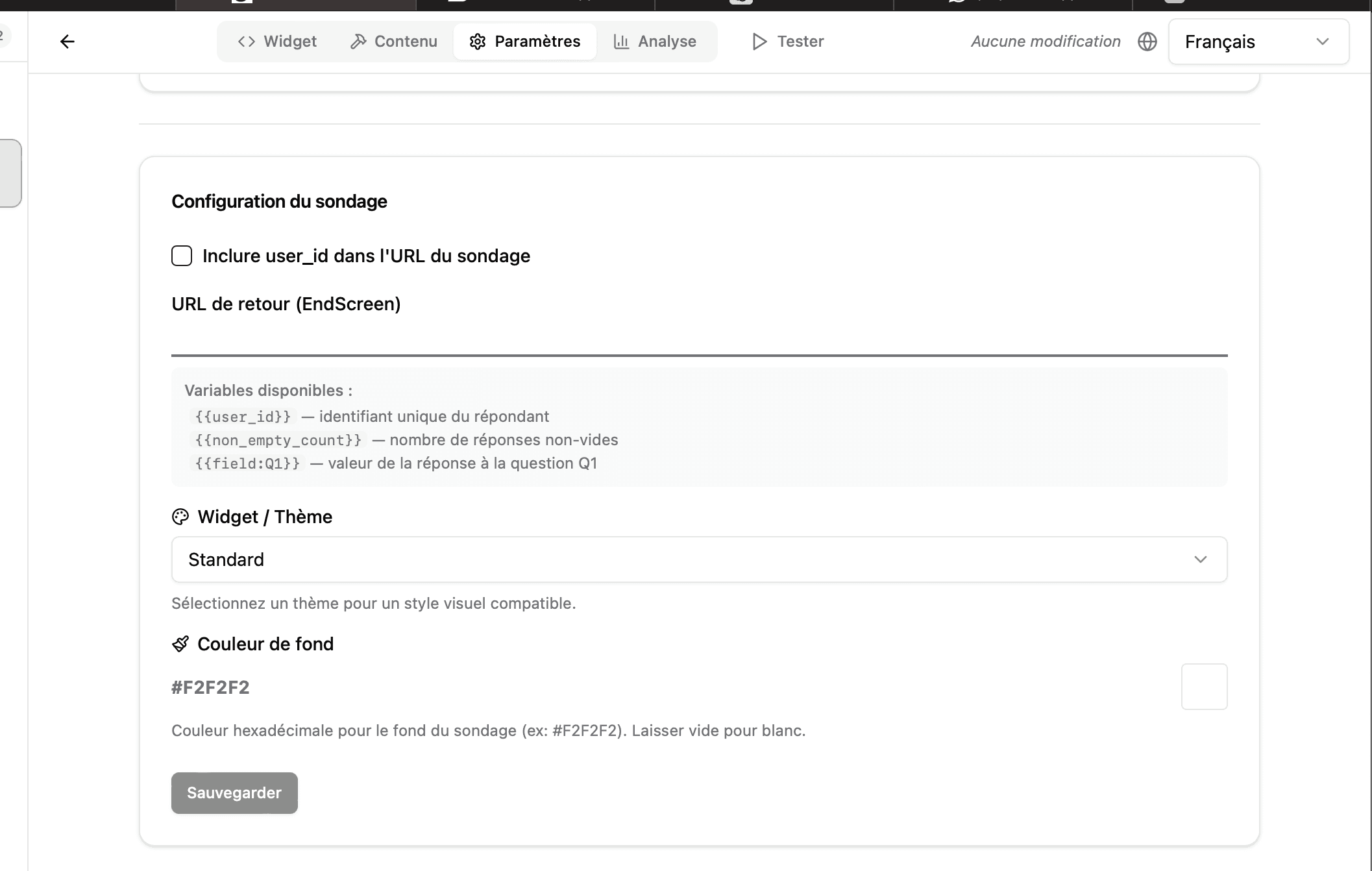
Or use the SmartInterview rich text editor to insert a link to your Sphinx Declic survey within the question text
When to use this:
You want SmartInterview to be the entry point (e.g. for vocal questions first, then structured Declic questions)
You want to use SmartInterview's respondent tracking and AI classification on top of Declic data
Redirect setup (both iQ3 and Declic)
Step 1: Prepare your SmartInterview survey
Create your survey in SmartInterview with the vocal/AI questions
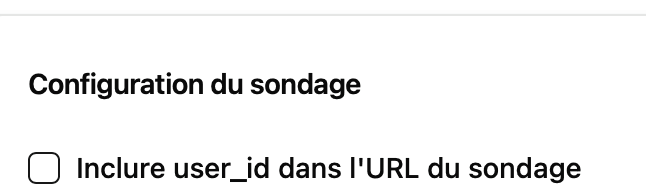
In Builder > Settings, let "user_id" use null.
Configure the Return URL to point back to your Sphinx survey:
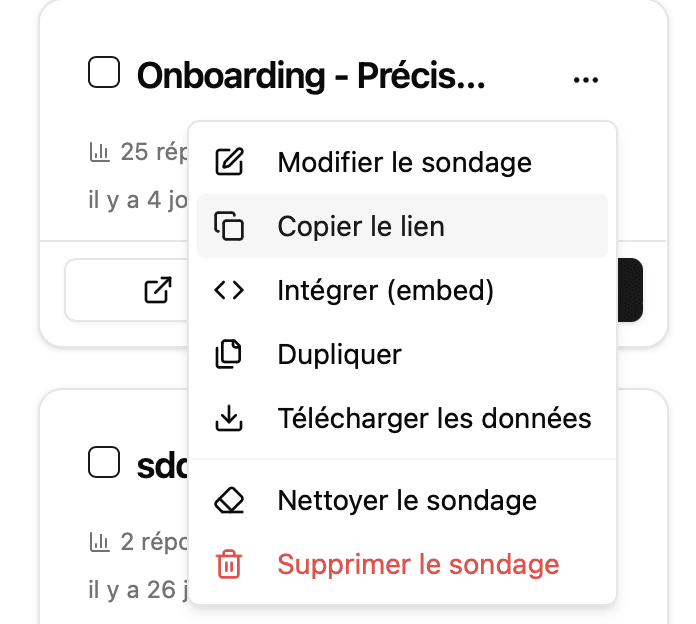
Copy the Direct link from the "survey home" > 3-dots > Copy link
Step 2: Configure the redirect in Sphinx-declic
In your Sphinx questionnaire:
Add a Link element (Layout Type > Redirection)

Set the URL to your SmartInterview survey, from copy link
All URL parameters are automatically captured by SmartInterview and stored with the response
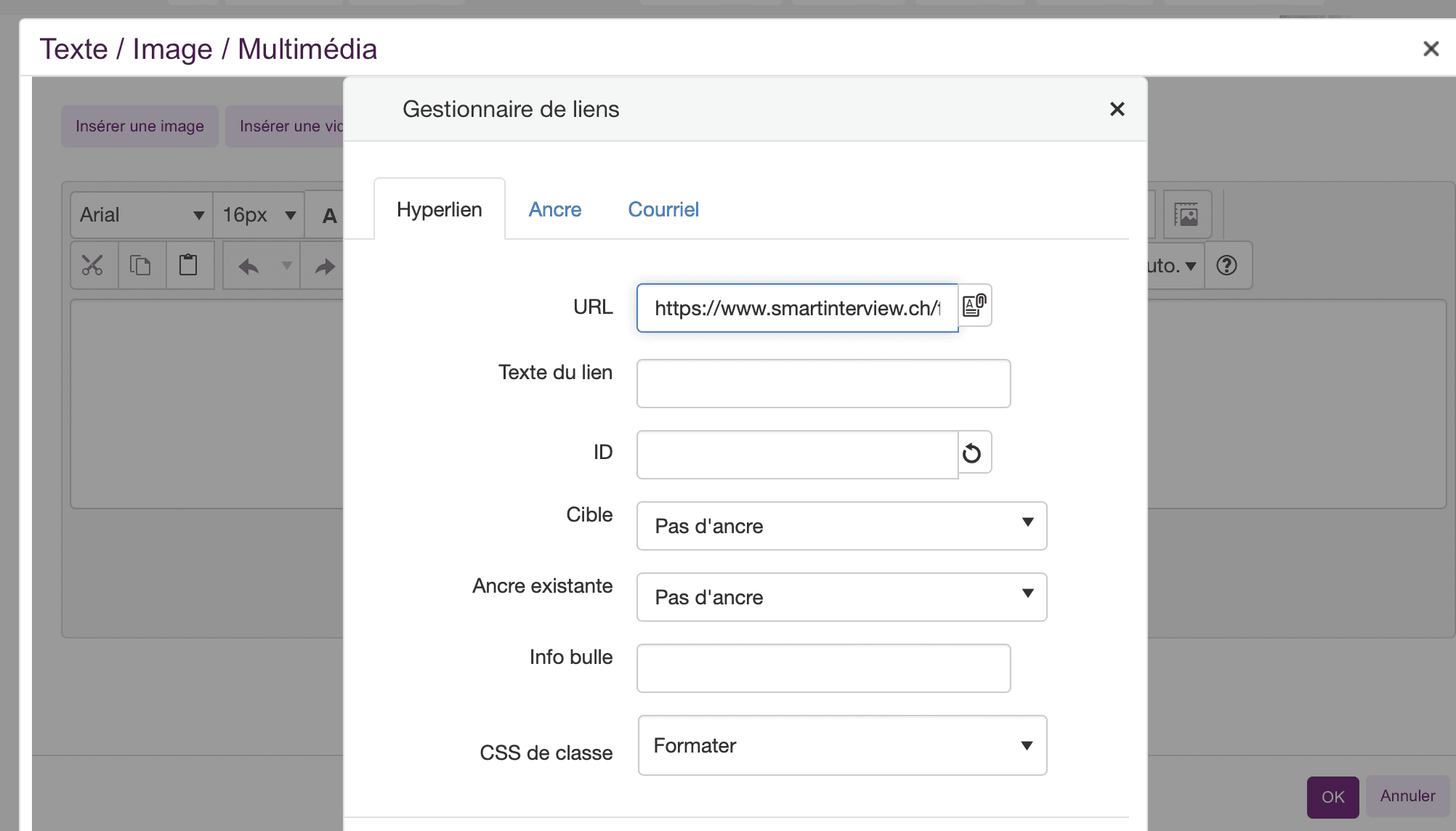
We recommande to add a short explanation such as "For this part of the interview you should clic on the following link and reply with/without your voice to the survey".
Step 3: Configure the return to Sphinx
In SmartInterview Builder > Settings > Redirect URL:
SmartInterview replaces {{param_name}} placeholders with the actual values received in Step 2.
What gets captured
All URL parameters passed from Sphinx are:
Stored in the respondent transcript
Available as response-level metadata
Usable in display conditions (show/hide questions based on parameter values)
Passed back to Sphinx via the return URL
Matching the visual style
SmartInterview includes a built-in Sphinx theme that matches the Sphinx Online visual identity:
Element | Style |
|---|---|
Font | Gotham, sans-serif |
Background | Transparent (inherits from host) |
Inputs | Underline style, golden accent |
To activate: Builder > Settings > Theme > Sphinx
For widget embeds, add ?theme=sphinx to the embed URL.
Using display conditions with Sphinx parameters
Once URL parameters are captured, you can create conditional logic in SmartInterview:
Example: Show a specific follow-up question only for respondents in group A.
Pass the group from Sphinx:
?group=AIn SmartInterview Builder, add a Display condition on the question:
Field:
groupOperator:
equalsValue:
A
This allows you to personalize the AI interview based on Sphinx survey responses.
Summary: Which approach to choose?
You have Sphinx iQ3
iQ3 supports custom HTML, so you have two options.
Option 1 - Widget embed (best experience) Embed a SmartInterview question directly inside your Sphinx iQ3 survey using an iframe. The respondent never leaves Sphinx.
Option 2 - Redirect (simpler setup) Add a link in Sphinx iQ3 that sends the respondent to SmartInterview, then brings them back.
You have Sphinx Declic
Declic does NOT support iframes or custom HTML. You have two strategies.
Strategy 1 - Redirect from Declic to SmartInterview (recommended) Build your structured questions in Declic. When you need an AI vocal question, redirect the respondent to SmartInterview, then bring them back to Declic.
Strategy 2 - Start in SmartInterview, link to Declic Use SmartInterview as the entry point. The respondent starts with the AI vocal interview, then is redirected to your Declic survey for structured questions.
Not sure? Start here
If you're unsure which approach fits your study, ask yourself:
Do I need the AI follow-up + vocal/text question in the middle of my Sphinx survey?
→ Use Redirect (or Widget if iQ3)
Do I want vocal questions first, then structured questions?
→ Use SmartInterview as entry point with redirect to Sphinx
Do I want the simplest possible setup with the fastest set-up?
→ Consider using SmartInterview alone : it handles both structured and vocal questions in one place
Recommendation
Why SmartInterview alone is the smarter choice
The challenge with Sphinx Declic + SmartInterview
Combining two survey platforms means:
Respondent fatigue : switching between two interfaces breaks the flow, increases drop-off rates, and confuses participants
Fragmented data: responses split across two systems, requiring manual merging for analysis
Maintenance overhead : two platforms to manage, two subscriptions, two sets of credentials
SmartInterview does everything Declic does — and more
Feature | Sphinx Declic | SmartInterview |
|---|---|---|
Multiple choice questions | Yes | Yes |
Scales & matrices | Yes | Yes |
Open-ended text questions | Yes | Yes |
Skip logic & conditions | Yes | Yes |
URL parameters & redirects | Yes | Yes |
Multi-language support | Limited | Built-in (FR, EN, DE) |
AI vocal interviews | No | Yes |
Real-time transcription | No | Yes |
AI-powered follow-up questions | No | Yes — context-aware, automatic |
Automated open-ended coding | No | Yes (Pulse Classifier) |
Sentiment analysis | No | Yes |
Co-occurrence matrix | No | Yes |
Customizable themes | Limited | Sphinx, LimeSurvey.. and soon more customization |
Video responses | No | Yes |
The benefits of going all-in on SmartInterview
1. Faster programming
One platform, one interface. Design your entire questionnaire ; structured and qualitative in a single builder. No redirect configuration, no parameter passing, no cross-platform testing.
Time saved: 50–70% on survey setup compared to sphinx.
2. Zero respondent fatigue
Respondents stay in one seamless experience from start to finish. No page redirects, no visual style changes, no loading screens between platforms. This directly translates to:
Higher completion rates (typically +15–25%)
Better data quality : engaged respondents give richer answers
2-3 more codes
Codification quality : Innosuisse patent on the algorithm.
Lower cost per complete
3. Deeper insights
SmartInterview's AI doesn't just collect answers — it understands them:
AI follow-up questions probe deeper based on what the respondent actually said
Real-time transcription converts vocal responses to text instantly
Pulse Classifier automatically codes thousands of open-ended responses into topics
Sentiment analysis reveals the emotional tone behind every response
Co-occurrence analysis shows which themes appear together
With Sphinx Declic, open-ended responses sit in a spreadsheet waiting to be manually coded. With SmartInterview, they're analyzed in minutes.
4. Richer conclusions
Your final deliverable is stronger because:
Quantitative and qualitative data live in one place
AI-generated topics and sentiment are immediately available for cross-tabulation
Export includes classified responses, topic distributions, and analytics dashboards
No manual data merging, no copy-paste between systems
5. One subscription, one invoice
Simplify your procurement. One platform, one contract, one support contact.
What about my existing Sphinx Declic surveys?
Coming soon: SmartInterview will support automatic project migration from Sphinx Declic and other platforms. Import your existing questionnaires and respondent data directly : no need to reprogram from scratch.
In the meantime, our team can help you recreate your Declic surveys in SmartInterview in a fraction of the time it took to build them originally.
Ready to try it?
Start building your first SmartInterview survey now:
No Sphinx. No redirects. No compromise.
Questions? Contact us at info@smartinterview.ai : we'll help you to migrate alll your rojects.
Quick start checklist
Identify which Sphinx product you are using (iQ3 or Declic)
Create your SmartInterview survey with vocal questions
Set the Sphinx theme in Builder > Settings
Configure the Return URL with
{{user_id}}placeholderAdd the redirect or iframe in your Sphinx survey with respondent ID
Test the full roundtrip with a test respondent
Verify URL parameters appear in SmartInterview response data
Need help?
Contact us at info@smartinterview.ai for integration support.